
Direct your whole team from one screen.
PlusQore Dispatch Console is a desktop application running on Windows. Using voice communication, emergency alarms and real-time positioning, the operator can direct staff quickly and make the daily workflow healthier and more efficient. Evaluating instant terminal information from the field as a whole gives the operator the ability to make the right decisions on time — and responding quickly to emergency alarms helps minimize risk across the workplace.
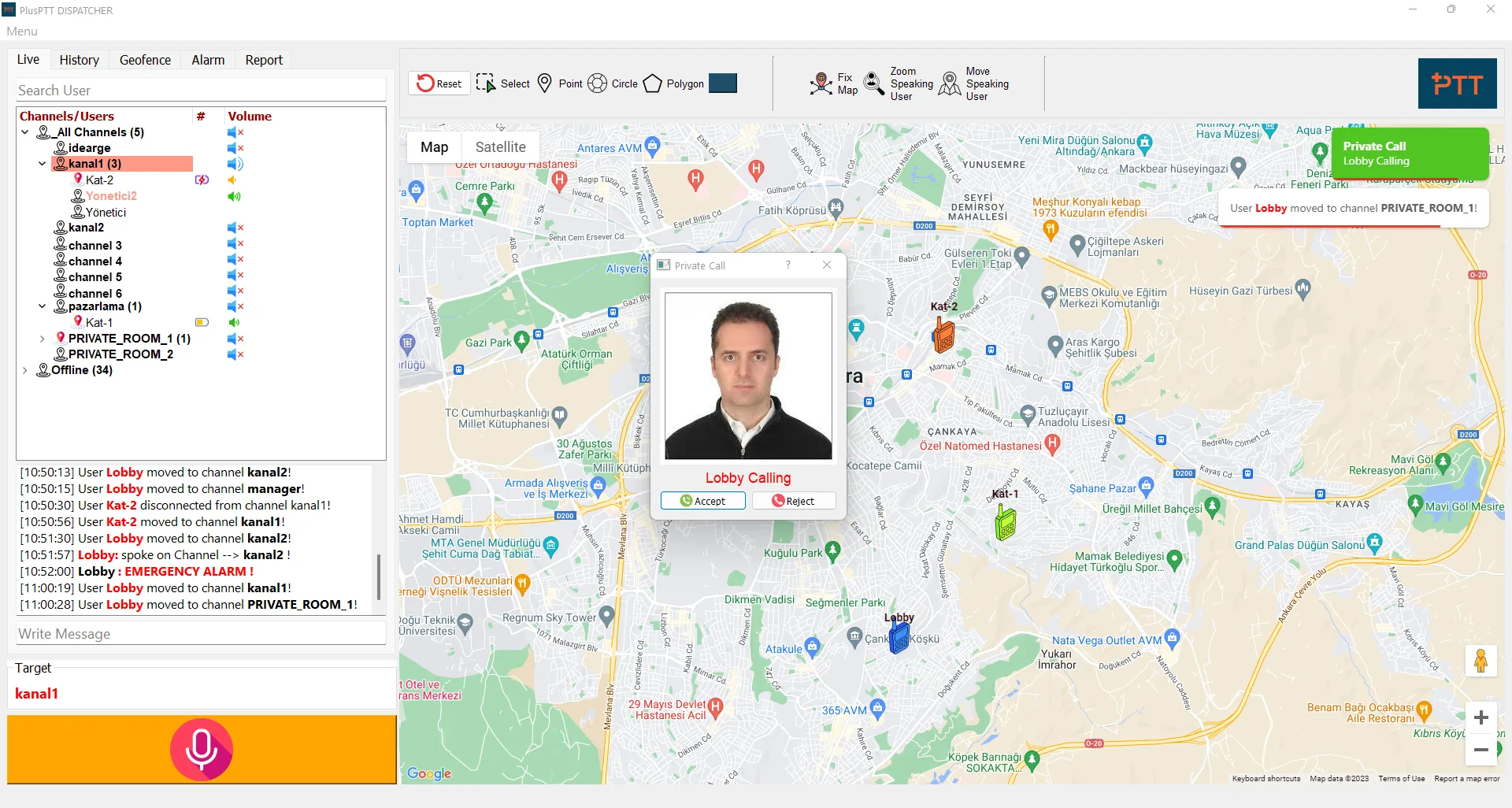
Single Call
Select a user on the map or from the user list — or select a point and list the nearest users in order. Announce to a user, or start a one-on-one conversation.
Group Call
Join a talkgroup and call every online user in that group at once.
Temporary Group Call
Pull users from the same or different groups into a temporary talkgroup — including by selecting a region directly on the map.
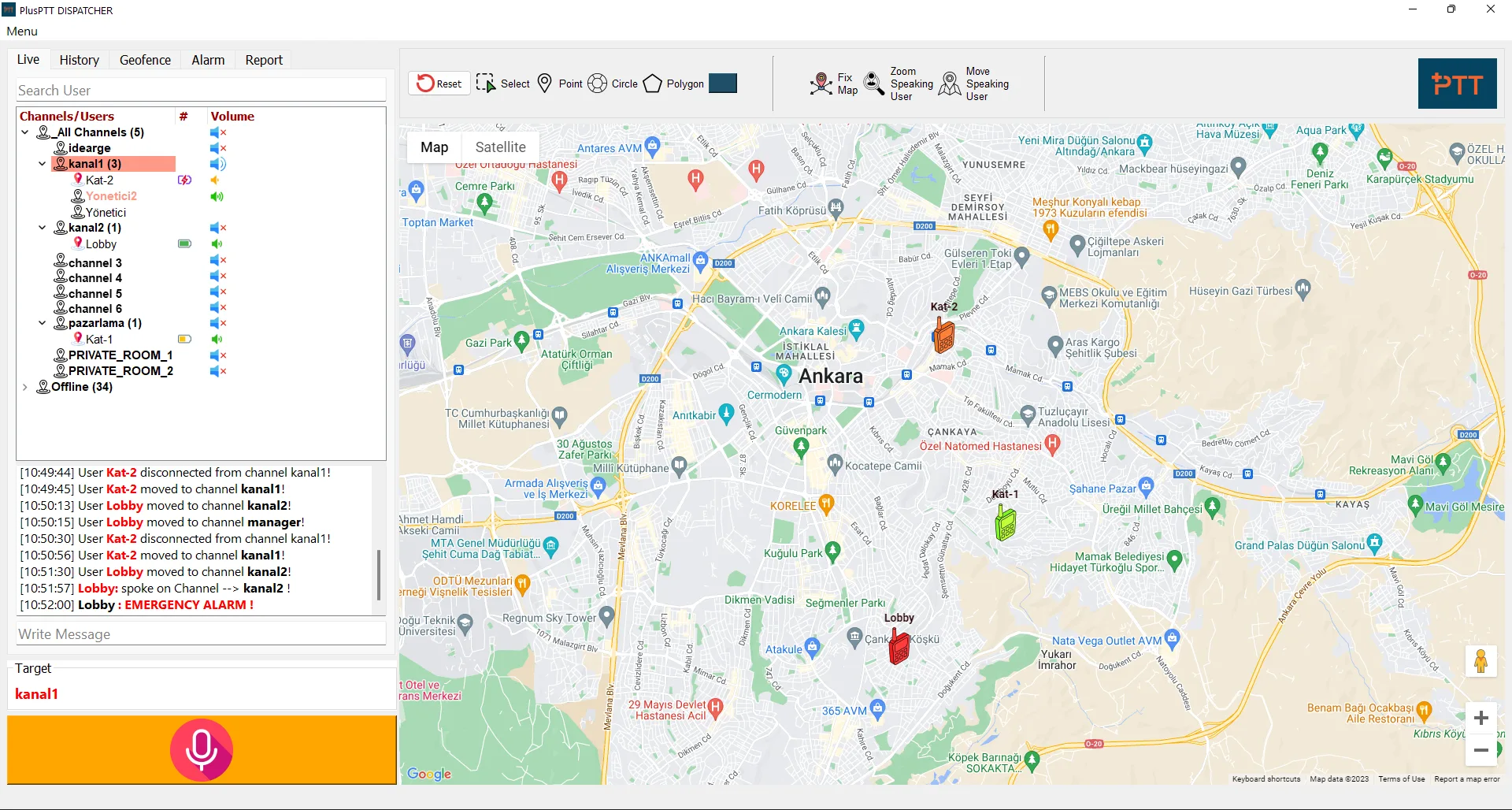
Battery Status
See the current battery state of every terminal from the console.
Icon Options
Colorize and modify map icons by user group or channel, so terminals are easy to spot and monitor at a glance.
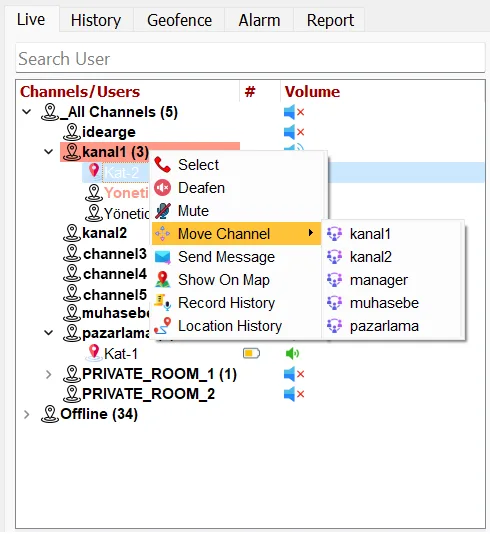
Remote Channel Changing
Change the channel of selected group members remotely, or mute/deafen chosen members.
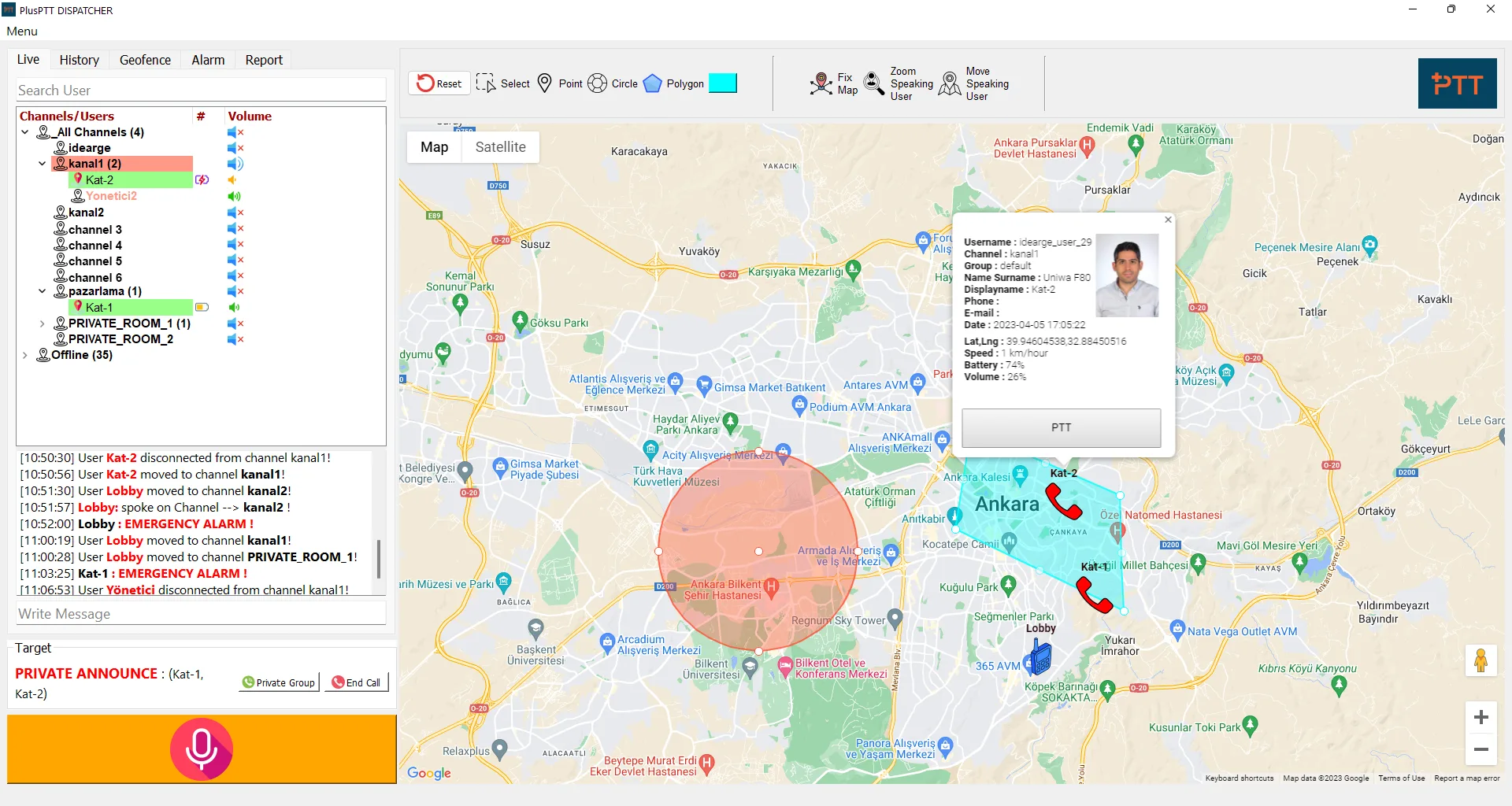
Instant Terminal Information
Monitor brand/model, SIM, active connection type (WiFi, GSM), Bluetooth status, uptime, app version, battery and volume — all in real time.
Temporary Group Announcement
Announce to every user without moving them into a different group.
Multi-Group Monitoring
Monitor several groups at once. When members of different groups talk simultaneously, you hear them all — or mute the ones you don’t need. Toggle all groups on or off with a single click.
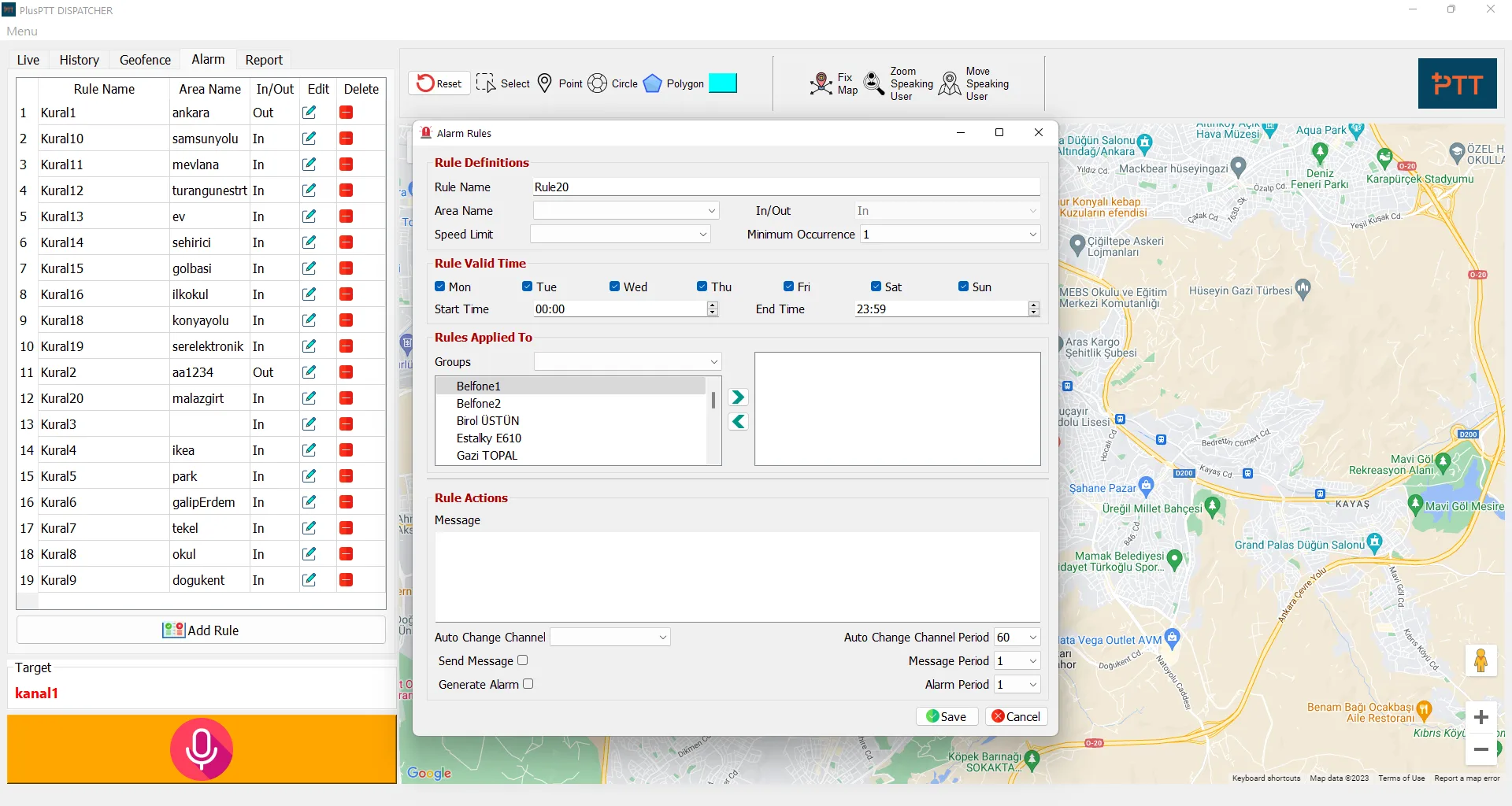
Geo-Fence
Mark geofence boundaries on the map and set rules and responses for violations. When a field user breaks a rule, the console raises an alarm with the relevant user information, and can force an alarm, violation announcement, or channel change on that terminal.
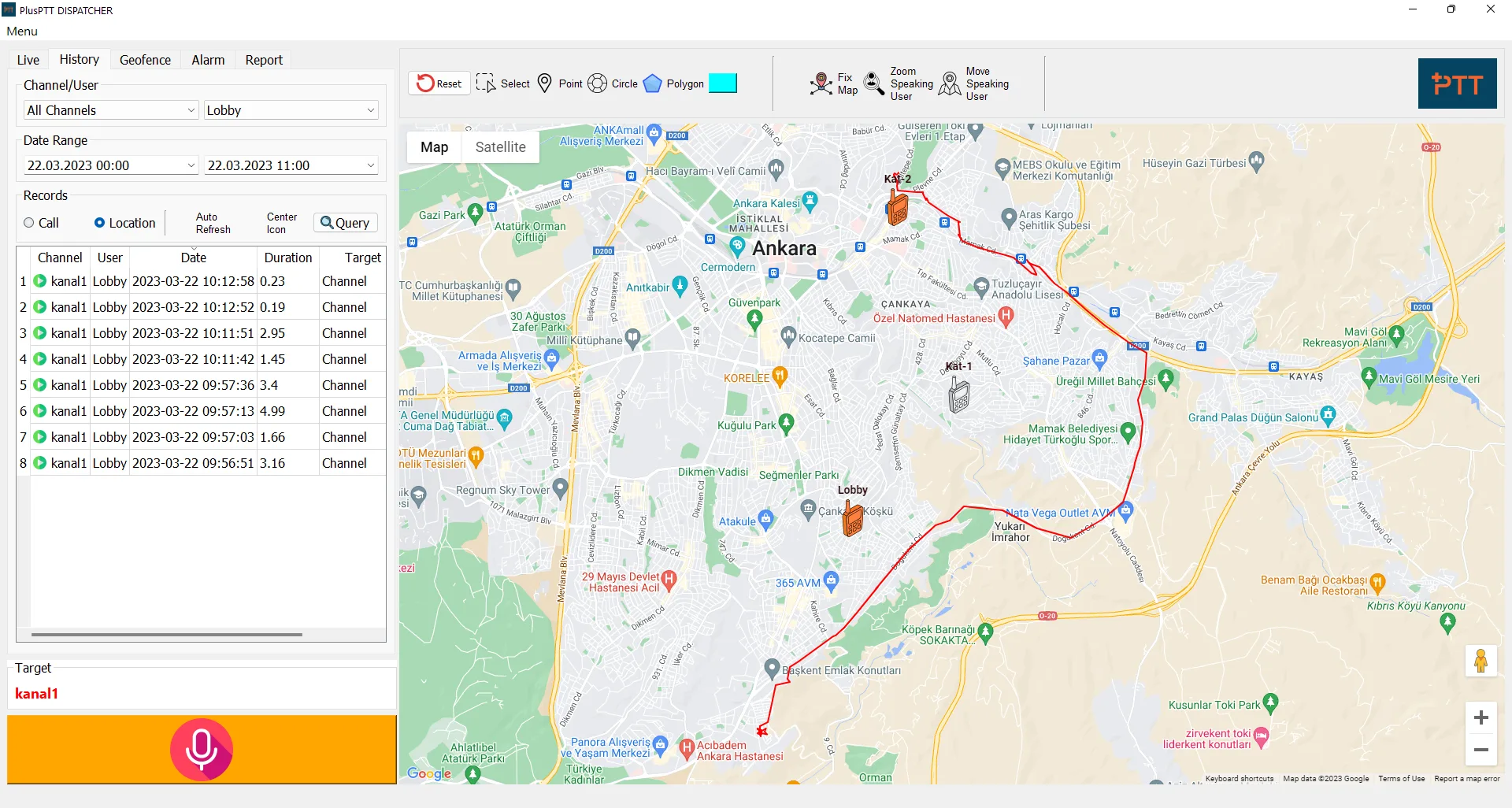
Recording
Every user’s calls are recorded and can be queried by channel, user or date — with authorized call logs visible to the dispatcher.
Location Tracking
Check location history for any terminal over a chosen period, or track terminals in real time.
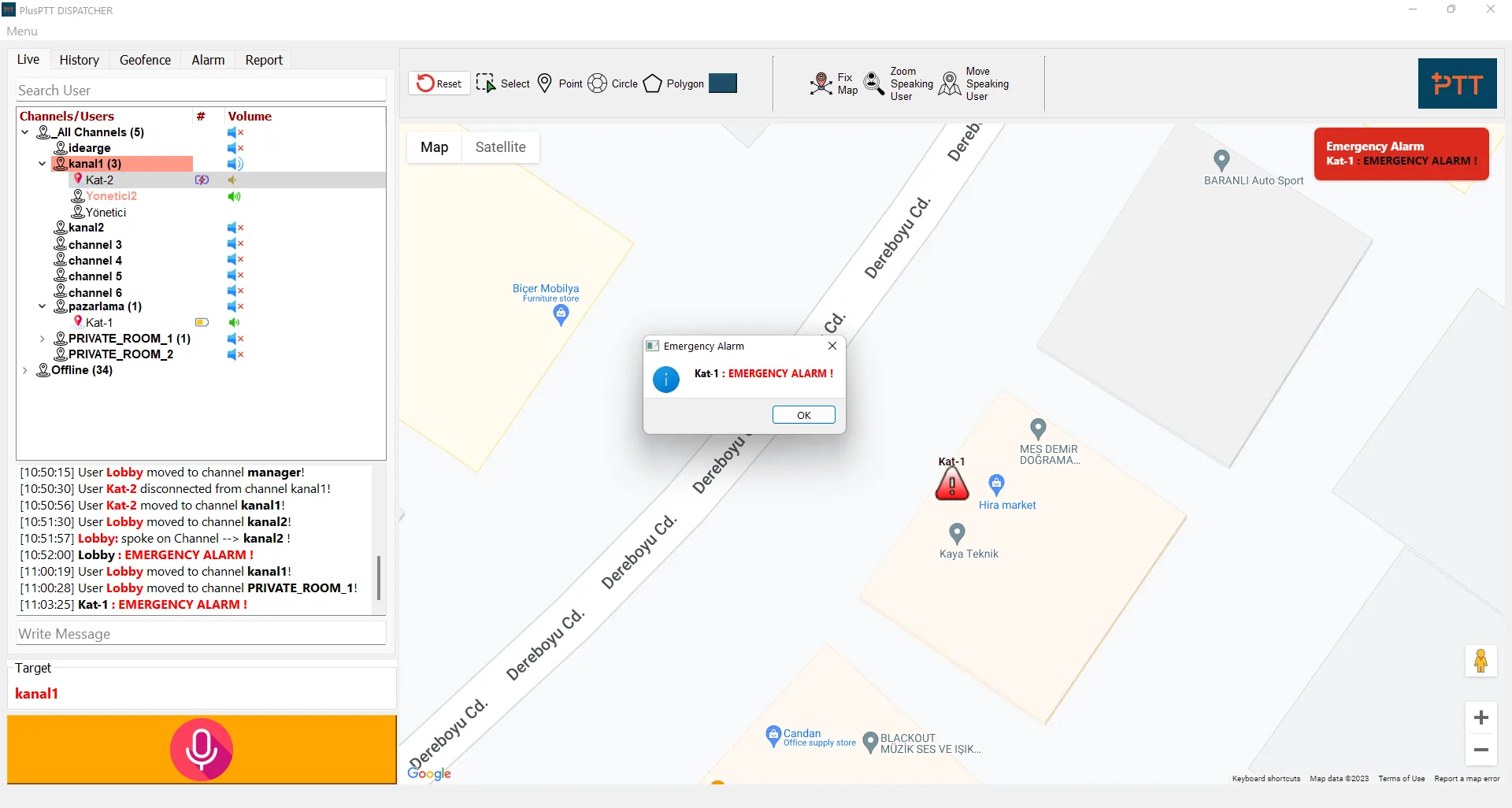
SOS
The SOS emergency signal sent by a terminal is received and processed directly by the console. The dispatcher can query and review SOS records at any time.
Group Management
Build out departments or units under your company as a tree structure, so authorizations and group calls follow your real org chart.
Remote Disable
Remotely disable a group member’s voice function so the terminal can no longer be used to communicate — the dispatcher can still locate that terminal on the map.
Resources
Download the full product brochure and user manual.
See it running on your own sites.
Request a walkthrough and we’ll show you the console with your own terminals connected.